Website is under construction

Coming Soon

The tablet/mobile friendly version of this site is currently under construction.
Please view on desktop.

Back

K12 Curriculum Provider: Course Editor

This project redesigned the curriculum authoring experience to reduce friction, enforce instructional standards, and enable faster, more consistent content creation through structured tools and AI-assisted workflows.

Education Technology
Mastery Coding
Partially Shipped  2026
* Real work adapted for portfolio use

Overview

Designing a streamlined curriculum authoring experience that supports both writers and the final learning experience.

This project focused on reducing friction in the curriculum writing process while supporting the needs of the teacher and student-facing product. The goal was to help curriculum writers create lessons, activities, and supplemental materials more efficiently, while also laying the groundwork for AI-assisted features. Design decisions were guided by how curriculum is authored in practice, how content ultimately appears to teachers and students, and the standards writers helped define.

My Role

I served as the sole designer and de facto project manager, leading the end-to-end design of the curriculum authoring experience from user research and concept validation through high-fidelity design and implementation support.

User Research
Project Management
UI/UX Design
Prototyping

The Process

I collaborated with curriculum writers and engineering to research workflows, prototype and test solutions, and deliver production-ready designs that reduce friction and improve curriculum creation efficiency.

User Research & Ideation Workshops

I facilitated a collaborative ideation workshop with curriculum writers using FigJam to understand their full curriculum-creation workflow. We then ran structured ideation exercises to capture feature ideas that would help writers create curriculum more efficiently.

Prototyping & User Testing

To validate complex interactions, I built an interactive Figma Make prototype of the course outline editor and conducted usability testing by observing real tasks, documenting friction, and iterating on findings.

Final Designs

I translated validated concepts into polished, production-ready designs aligned with the design system. Throughout development, I worked closely with engineering to clarify interactions, respond to technical constraints, and ensure the final implementation matched the intended experience.

Final Designs

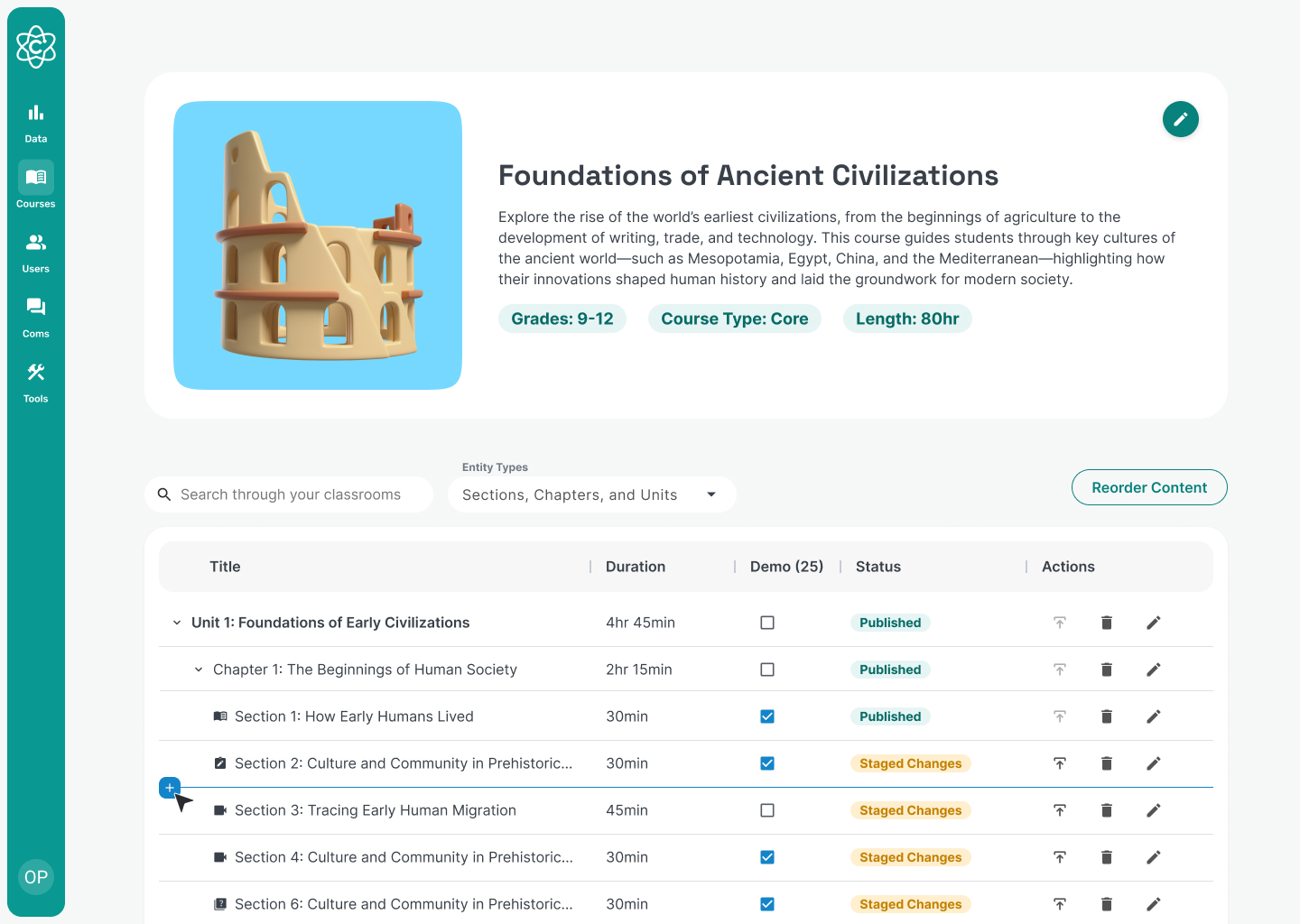
Course Outline & Structure Management

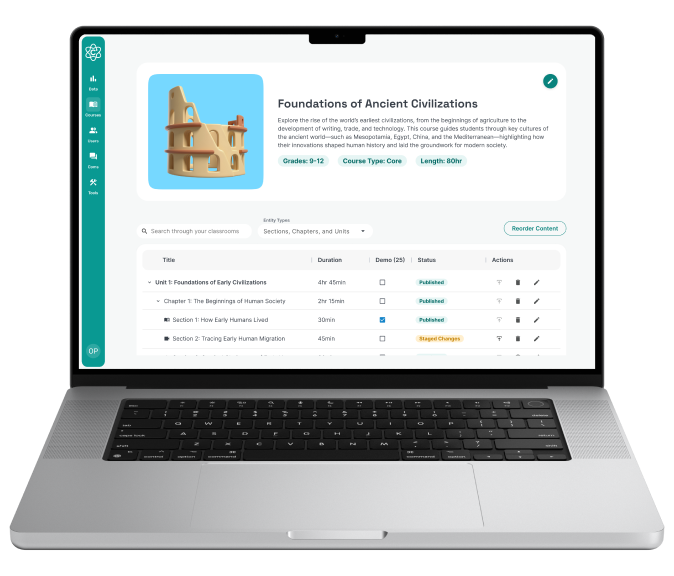
The course outline provides a high-level view of the entire curriculum, allowing writers to understand and manage the course structure at a glance. Nested accordions make it easy to move between a full-course overview and more detailed views of units, chapters, and sections.

Considerations

Writers needed to restructure content fluidly across units, chapters, and sections—especially early in course development and during QA.
The outline had to surface critical metadata (publish status, demo availability) without requiring writers to open individual items.
The solution needed to support the existing unit → chapter → section hierarchy without disrupting hundreds of existing courses.

From this view, curriculum writers can:

Add units, chapters, and sections anywhere
Reorder units, chapters, and sections using a dedicated reorder mode
See the status of each item (draft, published, unpublished changes)
Search for specific content across the course
Toggle demo availability for units, chapters, or sections
Edit, publish, or delete content with safeguards for irreversible actions

Section Editor & Content Creation

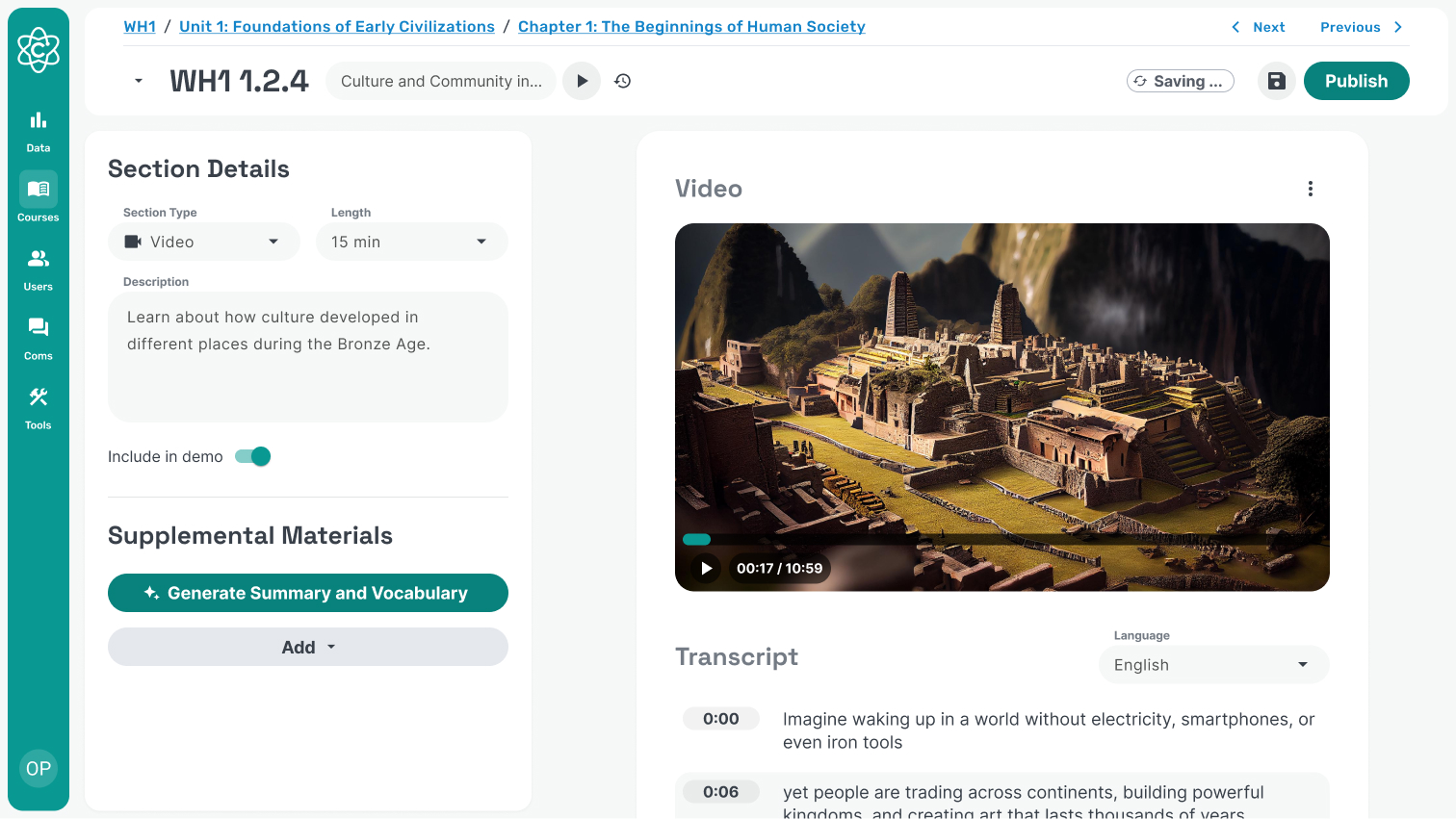
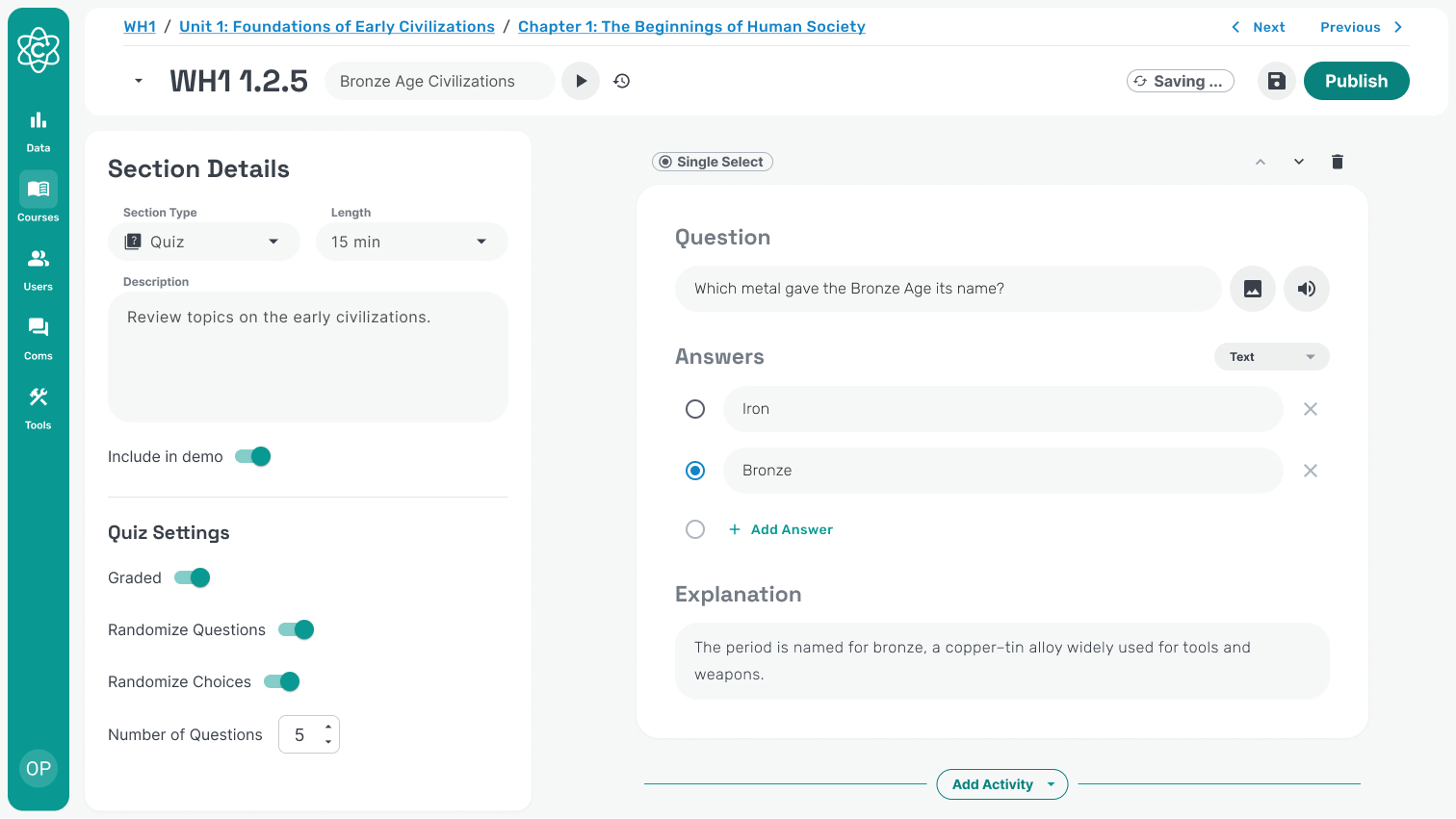
The section editor is where writers create and manage the content for individual sections. It adapts to the type of section being authored, providing structure where needed while allowing flexibility for more complex lesson formats.

Considerations

Sections needed to remain bite-sized to support classroom pacing and attention span.
Supplemental materials should be standardized, reusable, and separate from core lesson flow.
The system had to support existing legacy content while moving toward a more constrained, consistent model.
Writers needed clearer guidance on what belongs in each section type to reduce ambiguity and improve instructional consistency.
Authoring should happen directly within the section editor to minimize context switching and save time.
Content constraints (character limits, answer limits, supported activity types) were necessary to prevent poor student-facing experiences.
Video section editor a single default activity: a video activity
Quiz section editor with quiz specific settings

Features

Inline activity editing within the section editor
Validation, character limits, and answer limits to prevent invalid content
Structured supplemental materials (vocabulary, documentation, summaries, downloads)
Teacher and student preview modes
Section-type–specific activity support (video-only, reading-only, assignment-only)
Automatic generation of supplemental materials

Proposed Feature: AI-Assisted Content Creation

AI tools were introduced to help curriculum writers produce high-quality content more efficiently while maintaining consistency across courses. Each tool is designed to support—not replace—the writing process, with clear structure and editorial control.

Considerations

Writers need strong editorial control over prompts, references, and outputs to avoid over-reliance.
AI outputs must align to predefined formats and curriculum standards.
The system should be extensible as pedagogy and content models evolve.
AI should support synthesis, modification, and formatting of existing materials rather than replace subject-matter expertise.
Consistency in lesson structure, tone, and voice is critical across courses and products.
Generated content should be grounded in existing course material to ensure relevance.
Quiz question generation, where writers can select which sections of the curriculum to base questions on and specify question types and quantity
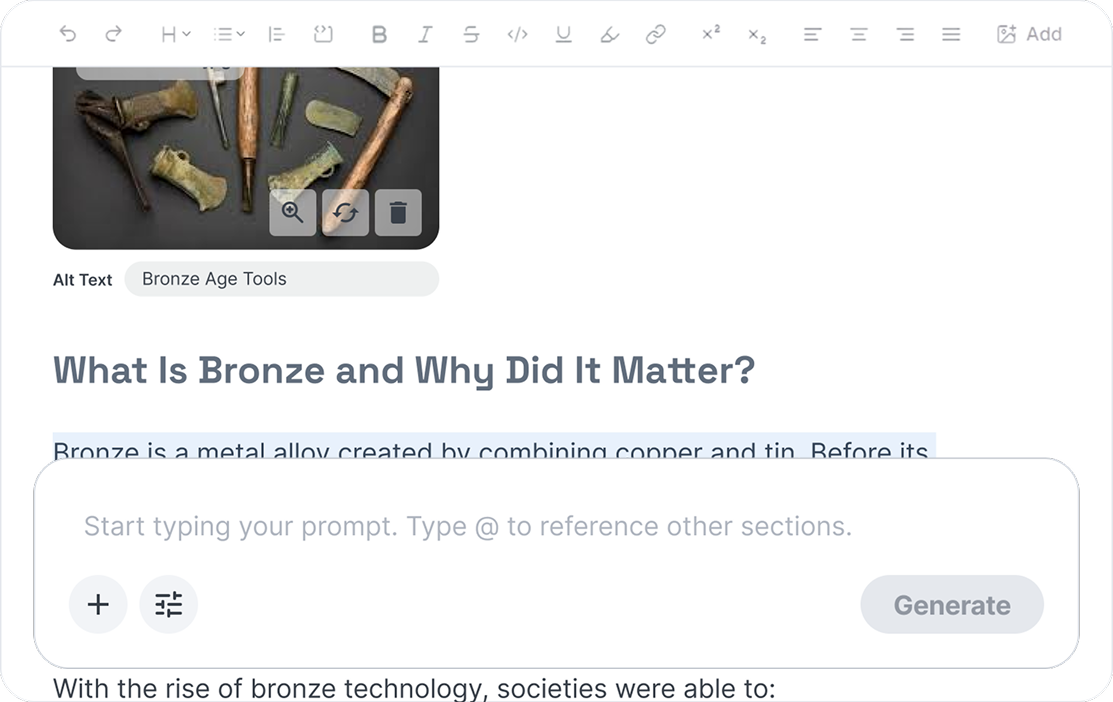
AI writing assistance within reading sections, enabling writers to generate, revise, or expand content inline by prompting the assistant on selected text
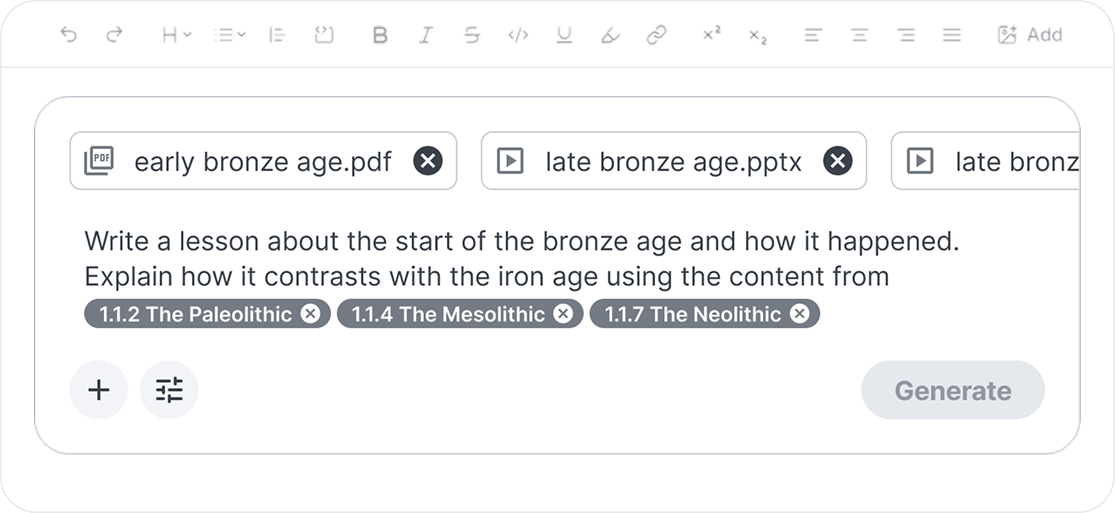
Lesson generation from source material, allowing writers to upload content and provide a prompt to generate a lesson in a predefined format, ensuring consistency across courses and products

Features

Inline AI writing assistance within reading sections
Quiz question generation from selected curriculum sections
Reading activity generation from uploaded source material and prompts
Referencing of existing course content within AI tools
Prompt-based revision, expansion, and rewriting of selected text
Controls for question type and quantity
Predefined output formats enforced through system-level prompts

@ 2026 Jobana Westbay

jobana.westbay@gmail.com